iPad visitor check-in

The front desk that handles the paperwork.

LobbyBook turns an iPad into a check-in kiosk with your branding. Visitors sign your NDA in under a minute. Returning guests skip it. Every signature is logged, emailed to you and ready to export.

Coming soon to the App StoreSee how it works

7-day free trialNo per-visitor feesYour data stays in your iCloud

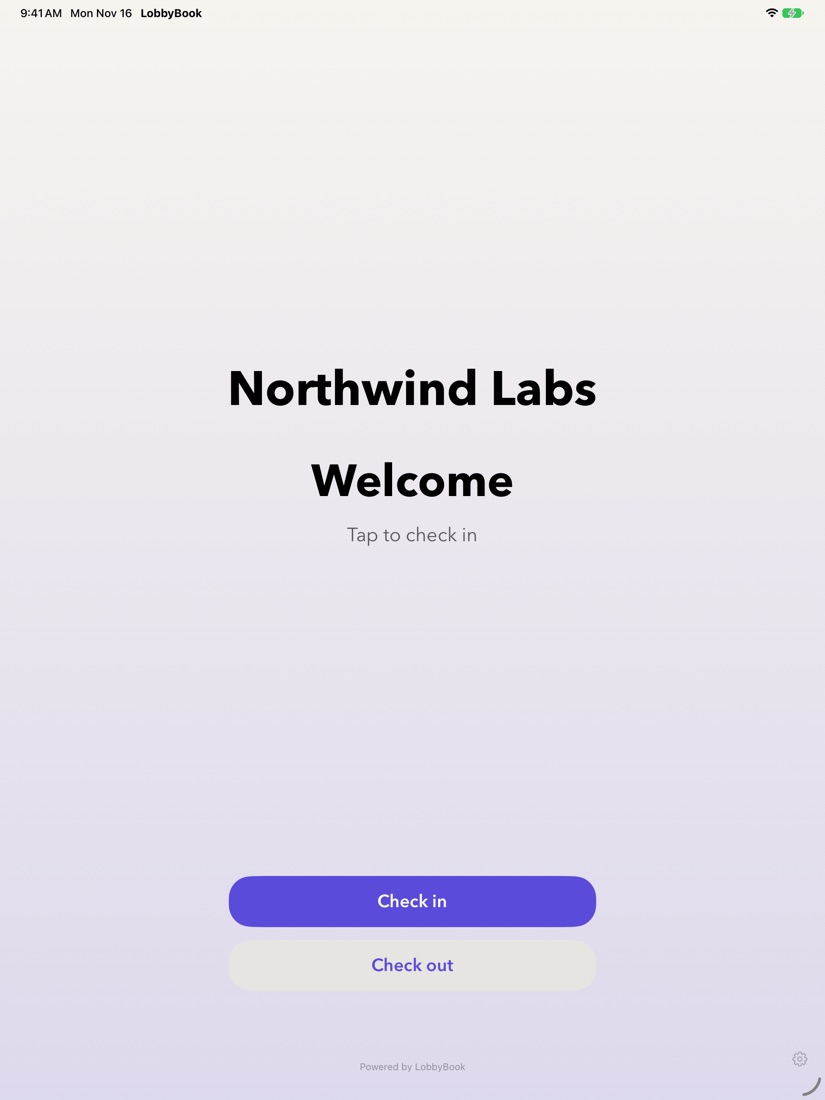
LobbyBook welcome screen on an iPad
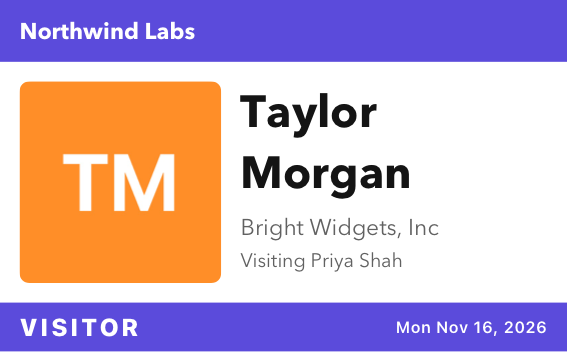
A printed LobbyBook visitor badge
Made fordesign studioslabsworkshopsstartupsclinicssmall offices

How it works

Set up in five minutes.
No IT department needed.

1

Make it yours

Add your logo, brand colors and font, or pick a ready-made look.

2

Add your NDA

Start from our plain-English sample or paste your own. Names and dates fill in automatically.

3

Set it on the desk

Visitors tap Check in, pick who they're here to see and sign with a finger or Apple Pencil.

4

Stay in the loop

Signed PDFs land in your inbox, hosts get an arrival email and the log keeps itself.

NDA signing

Signatures that hold up, without the clipboard.

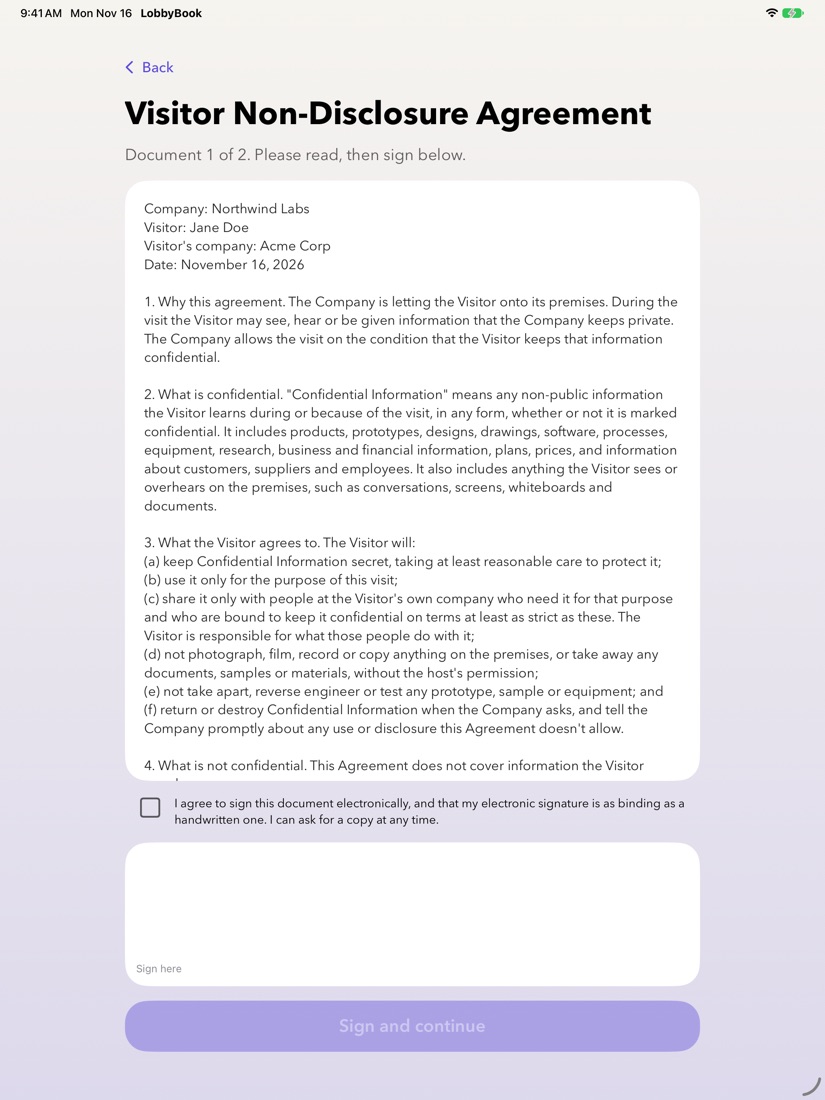
Each visitor reads the document, ticks consent and signs on the glass. LobbyBook produces a branded PDF with a signing record you can stand behind.

  • Returning visitors skip it. Matched on email or phone, they sign again only when you publish a new version or their signature expires.
  • A real audit trail. Every PDF ends with a signing record: time, device, consent and a SHA-256 fingerprint of what was signed.
  • Delivered automatically. PDFs are emailed to the people you choose, saved to a folder, and the visitor can get a copy.
A visitor signing an NDA on the iPad

Visitor types

The right questions for every kind of visit.

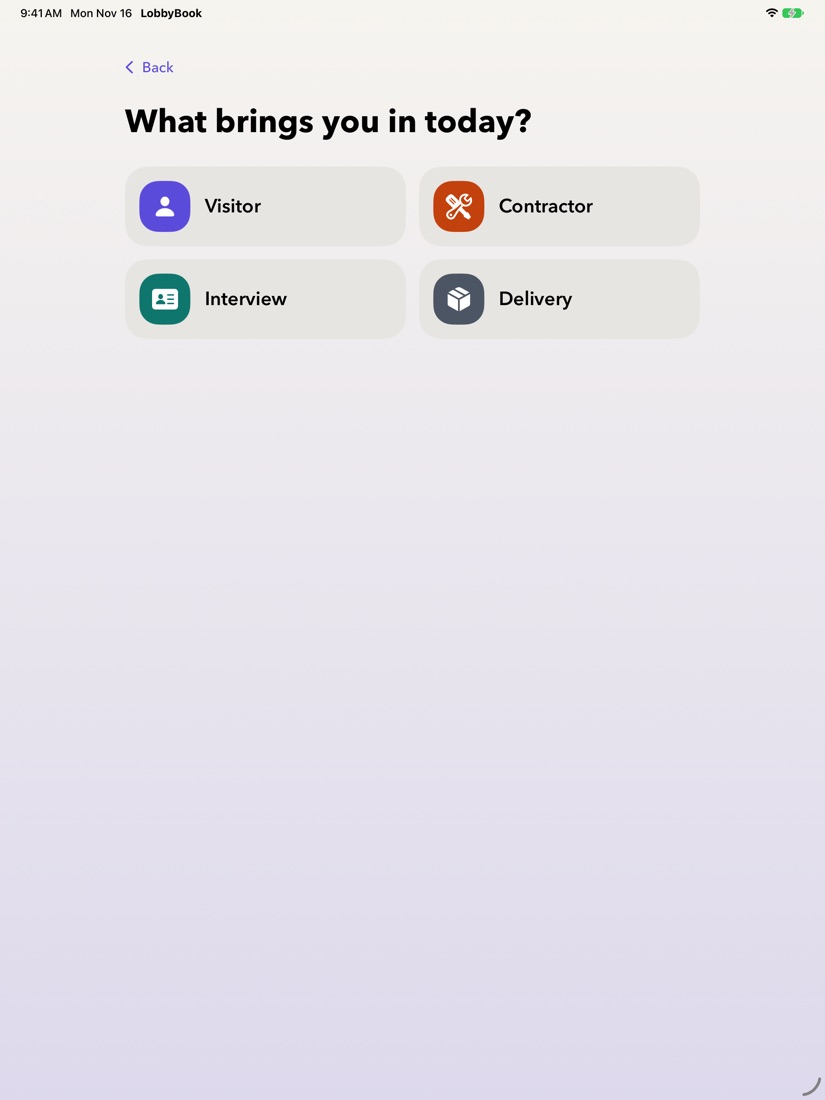
Guests, contractors, interviewees and deliveries each get their own check-in. Ask what matters, skip what doesn't.

  • Custom questions. Text, yes/no or multiple choice. Any answer can stop check-in and send the visitor to the desk.
  • Different documents per type. Contractors sign the NDA and your site-safety rules; deliveries sign nothing and are done in seconds.
  • Photos and badges. Take a quick photo and print a branded badge on any AirPrint label printer.
Choosing a visitor type: Visitor, Contractor, Interview or Delivery

Visitor log

Know who's here, and who was.

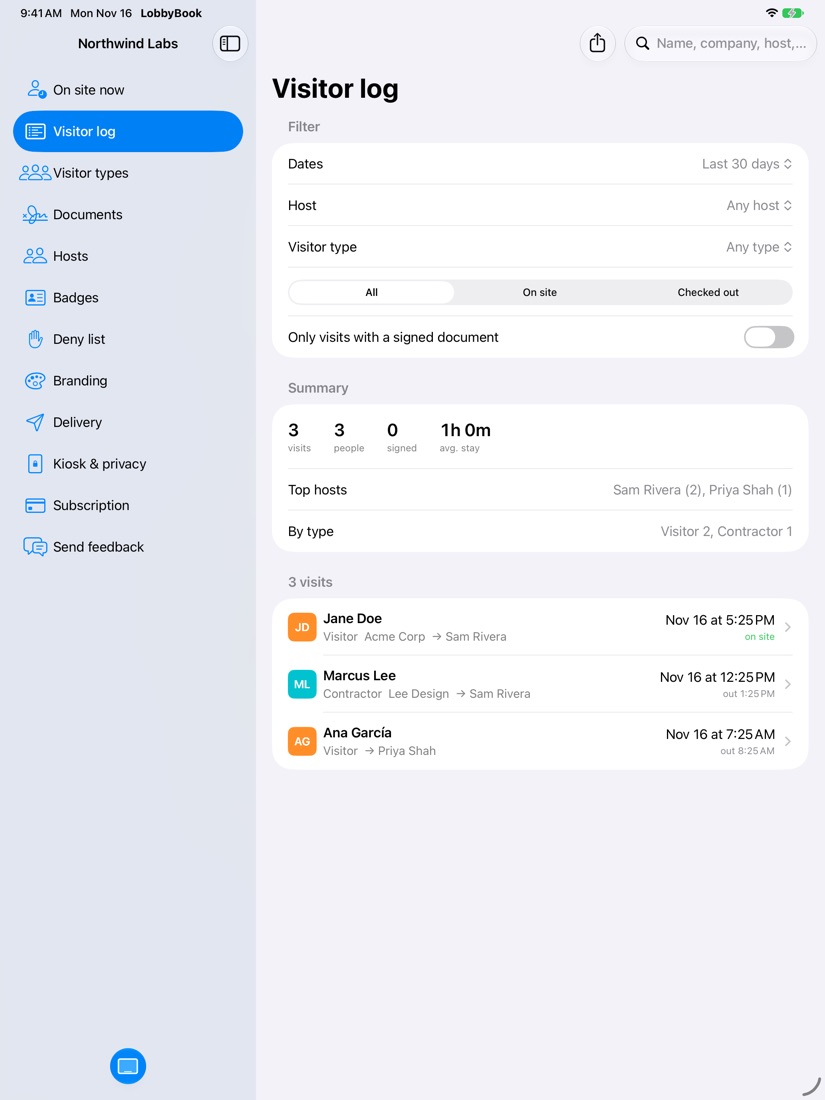
Every check-in and check-out is recorded in a tamper-evident log, and your whole team can see who's on site from any of your iPads.

  • Filters and reports. By date, host, visitor type or status, with a summary of visits, people and busiest times.
  • Export anything. Spreadsheet, printable report or a ZIP of every signed PDF.
  • Emergency list. One tap shows everyone on site with photos for a fire-drill roll call. Print it or send it to your phone.
The LobbyBook visitor log with filters and a summary

Everything included

Small-business price. Big-company front desk.

✎

Your brand, everywhere

Logo, hex colors, uploaded fonts and your own wording on the kiosk, PDFs, badges and emails. Colors are automatically adjusted to stay readable.

✉

Host arrival emails

The person being visited gets an email with the guest's name, company and photo the moment they check in.

✋

Deny list

Flag someone by name, email or phone. If they check in, they're quietly asked to see the front desk and your team is alerted.

⇄

Every iPad in sync

Use one iPad or several. Records and settings sync through your own iCloud, and the kiosk keeps working offline.

⏱

Data retention

Keep records for a year, seven years or forever. Older visits, documents and photos are deleted automatically.

🔒

Locked-down kiosk

Settings sit behind a passcode, and Guided Access keeps visitors in LobbyBook. The kiosk resets itself after two idle minutes.

Privacy by design

Your visitors' details stay with you, not with us.

Stored in your iCloud

Visitor records, signatures, photos and PDFs live on your iPads and in your own iCloud account. LobbyBook has no database of your visitors.

Emails pass straight through

When LobbyBook emails a document or an alert, it's sent and forgotten. Every recipient confirms their address before anything is sent to them.

No tracking, ever

No ads, no analytics, no face recognition. Read the privacy policy.

Pricing

One plan. Everything in it.

No per-visitor fees, no feature tiers, no sales call.

$9.99 / month

or $79.99 a year (save a third). Start with 7 days free.

  • Unlimited visitors and signed documents
  • Your branding on the kiosk, PDFs, badges and emails
  • Visitor types, custom questions and photos
  • Badge printing, host alerts and deny list
  • Visitor log, reports, exports and emergency list
  • Sync across your iPads through iCloud
Coming soon to the App Store

Cancel anytime in SettingsYour records stay exportable

FAQ

Questions, answered.

What do I need to get started?

An iPad running iPadOS 17 or later and an Apple Account with iCloud. A stand for the iPad helps. A label printer is optional, for badges.

Can I use my own NDA?

Yes. Paste in your own text, or start from LobbyBook's plain-English sample and edit it. Visitors' names, companies and the date fill in automatically. When you change the wording, LobbyBook publishes a new version and returning visitors sign it on their next visit.

Are electronic signatures legally valid?

In the US, electronic signatures are generally as valid as handwritten ones under the ESIGN Act and UETA. LobbyBook records the visitor's consent, the time, the device and a fingerprint of the document, and includes them on every signed PDF. The sample documents are a starting point, not legal advice, so have a lawyer review yours.

Does it work without Wi-Fi?

Yes. Check-in, signing and the log work offline. Emails and iCloud sync catch up when the iPad is back online.

Which badge printers work?

Any AirPrint printer. For stick-on badges we recommend a Brother QL-820NWB with 62 × 100 mm labels. LobbyBook also lays out 4 × 3 in and 4 × 2¼ in labels, and Letter paper.

Can visitors see each other's information?

No. Returning visitors are recognized only by an exact match on their own email or phone, and the visitor log is behind your admin passcode.

What happens if I stop subscribing?

The kiosk pauses check-in, but you keep full access to your visitor log, signed documents and exports. Nothing is deleted.
Give your front desk an upgrade.

Try LobbyBook free for 7 days on the iPad you already have.

Coming soon to the App StoreAsk a question